

Trucking / Hauling on the Site
This workflow covers on-site crude hauling: producer leases deliver to a destination facility, you record hauling transactions, then run carrier settlement (pay the trucking company).
Example use case: Pearsall-area leases → Kinder Morgan Three Rivers (~11,000 BBL/day at ~42° API).
| Phase | What you configure |
|---|---|
| Setup | Organization, active facility |
| Master data | Destination, leases, carrier, product, rates, service agreement |
| Operations | Hauling transactions (manual entry) |
| Settlement | Generate charges → approve → vendor settlement |
Mileage for billing: Use fixed miles per lease on each ticket. GPS auto-calculation is not used for settlement in the current release.
Before you start
- Confirm permissions for Facilities, Partners, Products, Rate Cards, Service Agreements, Transactions, and Settlements.
- Agree hauling rates (or use test tiers for validation).
- Set a go-live date (example: July 1, 2026).
Flow overview
flowchart LR A[Org & Facility] --> B[Leases + Carrier] B --> C[Product + Rate Card] C --> D[Service Agreement] D --> E[Hauling Transactions] E --> F[Generate Charges] F --> G[Vendor Settlement]Step 0 — Open your workspace
Open the organization
- Sign in to Coyote Measurement.
- Select the organization you work in from the app header.
Select active facility
Before creating transactions, set the header facility to your destination terminal (for example Kinder Morgan Three Rivers).
Step 1 — Destination facility
Admin → Facilities → Create
- Enter the facility name (for example Kinder Morgan Three Rivers).
- Select type and timezone for the destination.
- Complete location and configuration steps in the wizard.
- Save the facility.
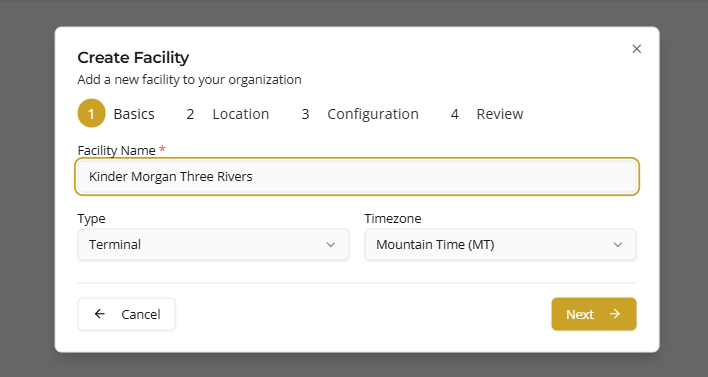
| Field | Example |
|---|---|
| Name | Kinder Morgan Three Rivers |
| Type | Terminal |
| Timezone | Mountain Time |
| Street Address | 123 Main St |
| City / State / Zipcode (optional) | Three Rivers, TX |
| Number of Bays (optional) | 2 |
| Operational Day Start (optional) | 7:00 AM |
This is the single destination for all lease lanes.
Step 2 — Producer leases (origins)
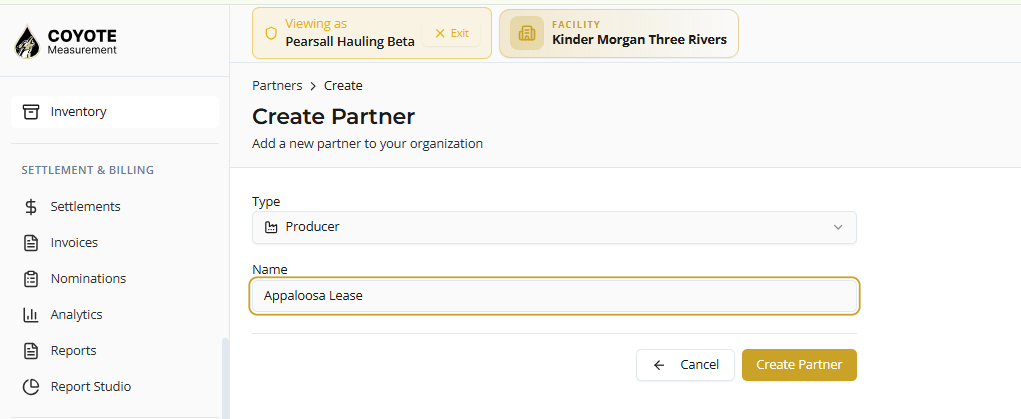
Admin → Partners → Create (Type: Producer)
Create one producer per lease:
| Partner name |
|---|
| Appaloosa Lease |
| Darlene Hurrikain Lease |
| Hooey Sendero Lease |
| Mustang Lease |
| Roper Lease |
Phase 1 billing model
| Setting | Guidance |
|---|---|
| Role | Producers are origin locations on tickets |
| Customer (AR) | Not required unless you invoice producers separately |
| GPS coordinates | Optional for mapping; billing miles go on each transaction |
Step 3 — Carrier (vendor)
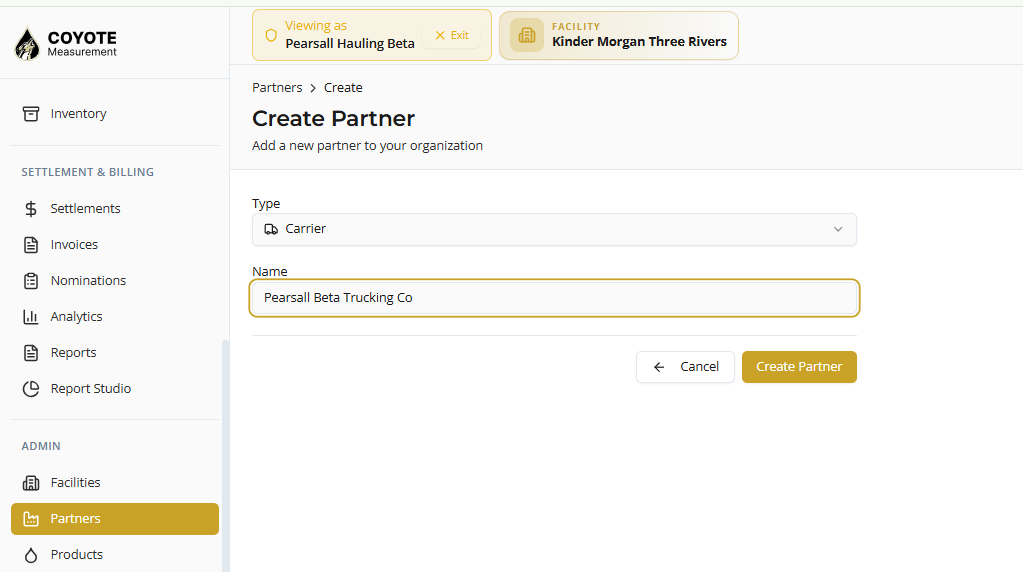
Admin → Partners → Create (Type: Carrier)
- Enter the carrier name (for example Pearsall Beta Trucking Co).
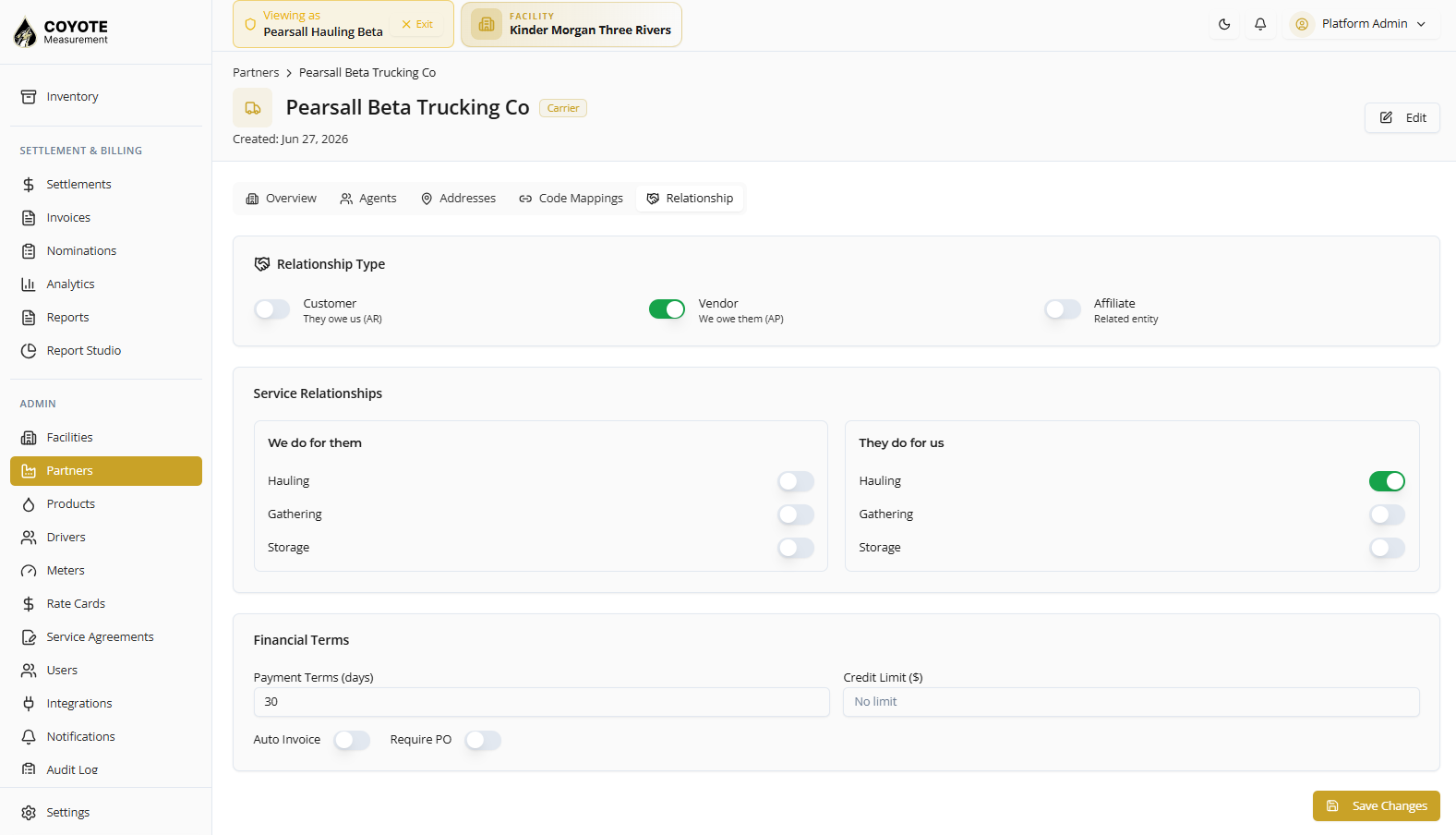
- Set Relationship to Vendor (you pay them — AP).
- Under They do for us, check Hauling.
- Leave Gathering and Storage unchecked unless applicable.
- Save the partner.
| Field | Value |
|---|---|
| Relationship | Vendor |
| They do for us | Hauling ✓ |
| Payment terms (typical test) | 30 days |
| Auto invoice | Off unless required |
Drivers (optional): add drivers under Admin → Drivers if you assign drivers to loads.
Step 4 — Product
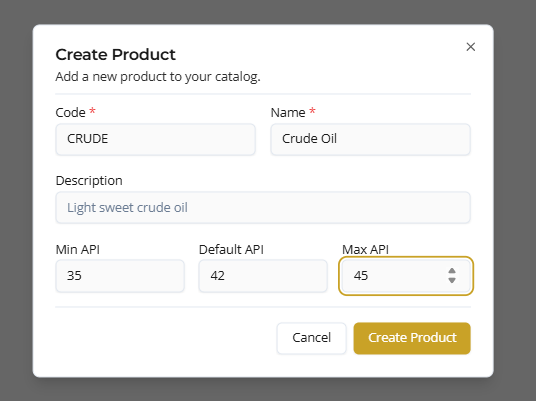
Admin → Products → Create
- Enter product code and name.
- Set API gravity range and default.
- Save the product.
| Field | Example |
|---|---|
| Code | WTI or CRUDE |
| Name | Crude Oil |
| Min API | 35 |
| Default API | 42 |
| Max API | 45 |
Use 42 default API when operations target ~42° API.
Step 5 — Rate card (carrier settlement)
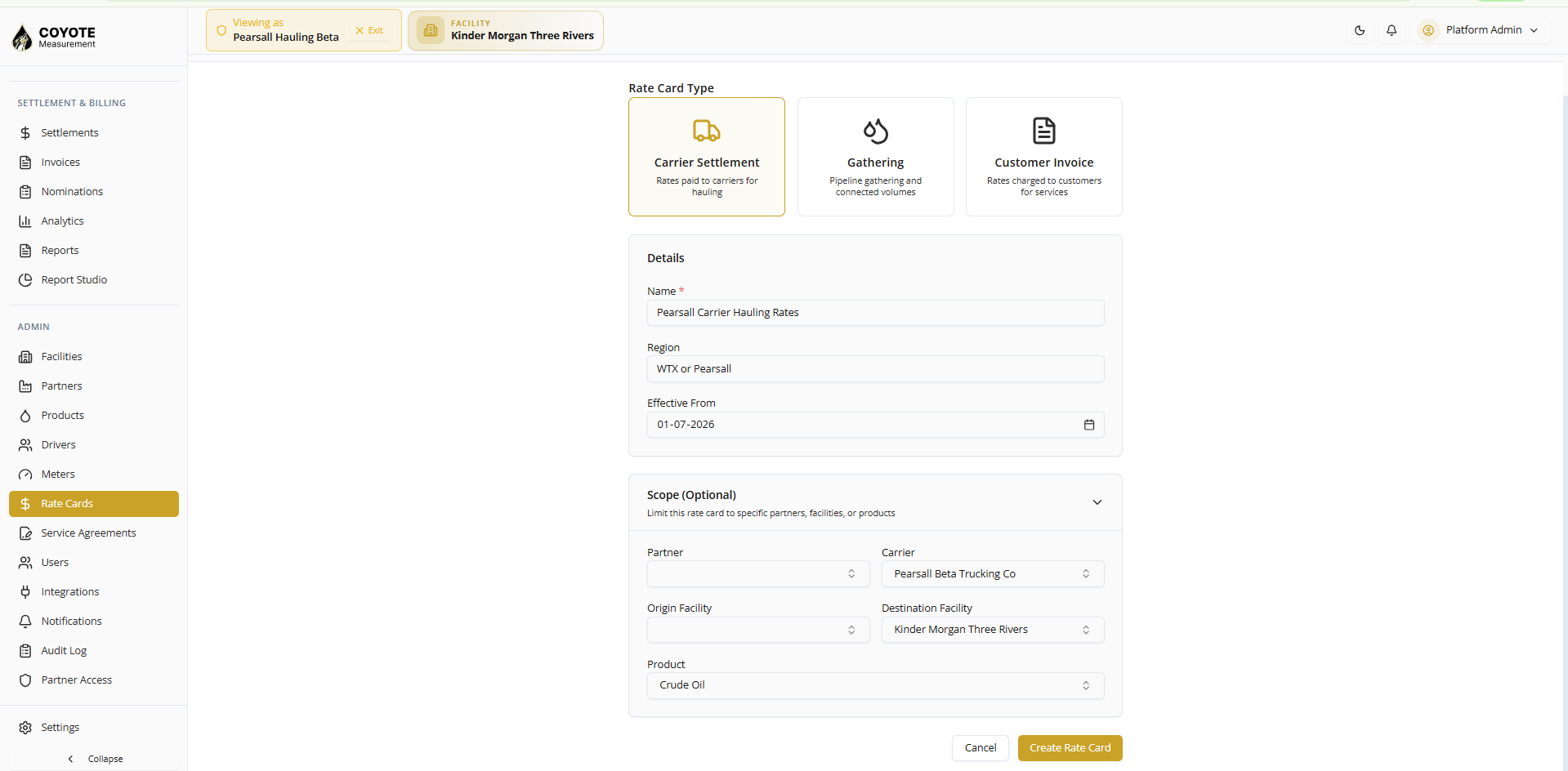
Admin → Rate Cards → New
Create rate card
| Field | Example |
|---|---|
| Rate card type | Carrier Settlement |
| Name | Pearsall Carrier Hauling Rates |
| Region | WTX or Pearsall |
| Effective from | 2026-07-01 |
Scope (optional — recommended):
| Field | Value |
|---|---|
| Carrier | Your carrier partner |
| Destination facility | Kinder Morgan Three Rivers |
| Product | Crude Oil |
| Partner (origin) | Leave blank |
| Origin facility | Leave blank |
- Click Create Rate Card.
- You should land on the rate card version page.
Distance tiers
- Open the Distance Tiers tab.
- For initial validation, click Generate Standard (creates tiers for miles 1–300).
- Click Save Tiers.
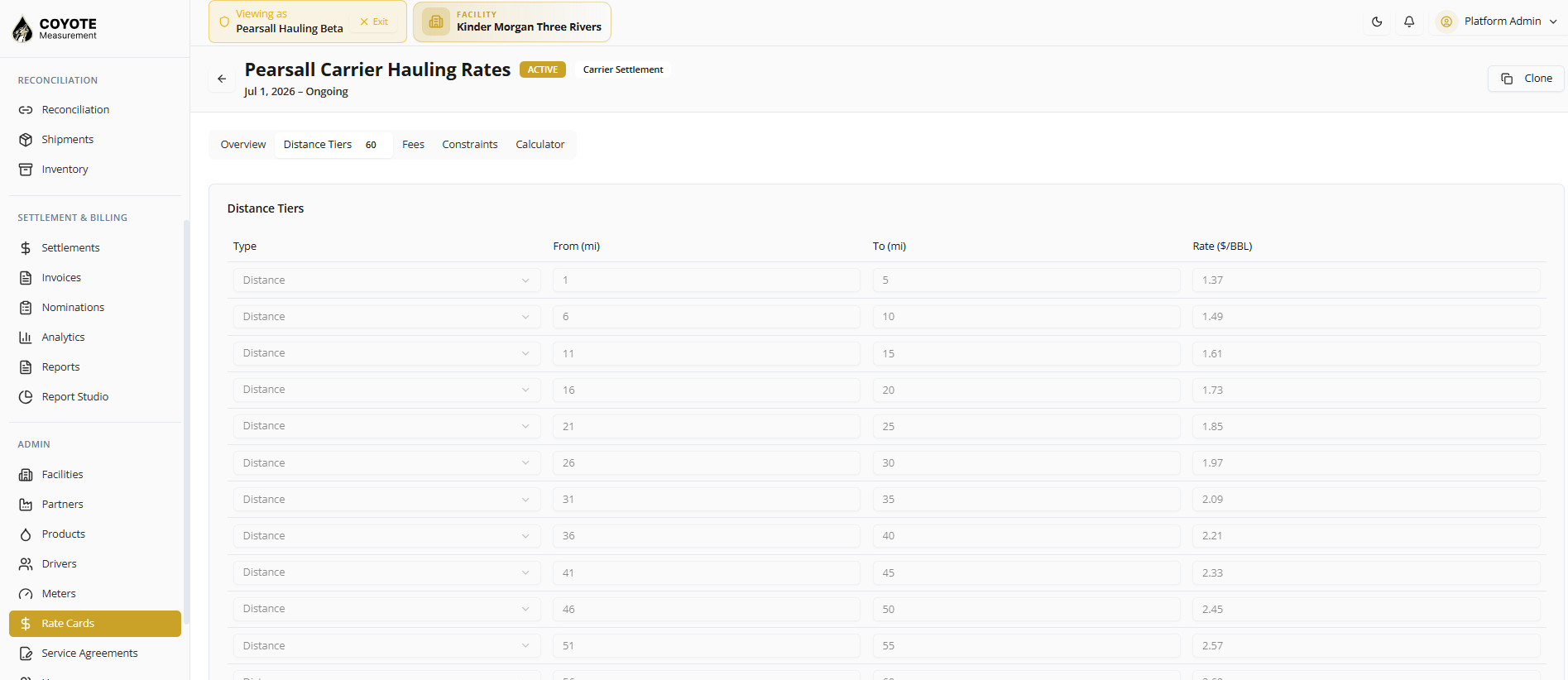
After the client provides contract pricing, replace tiers with real values.
Validate with rate calculator
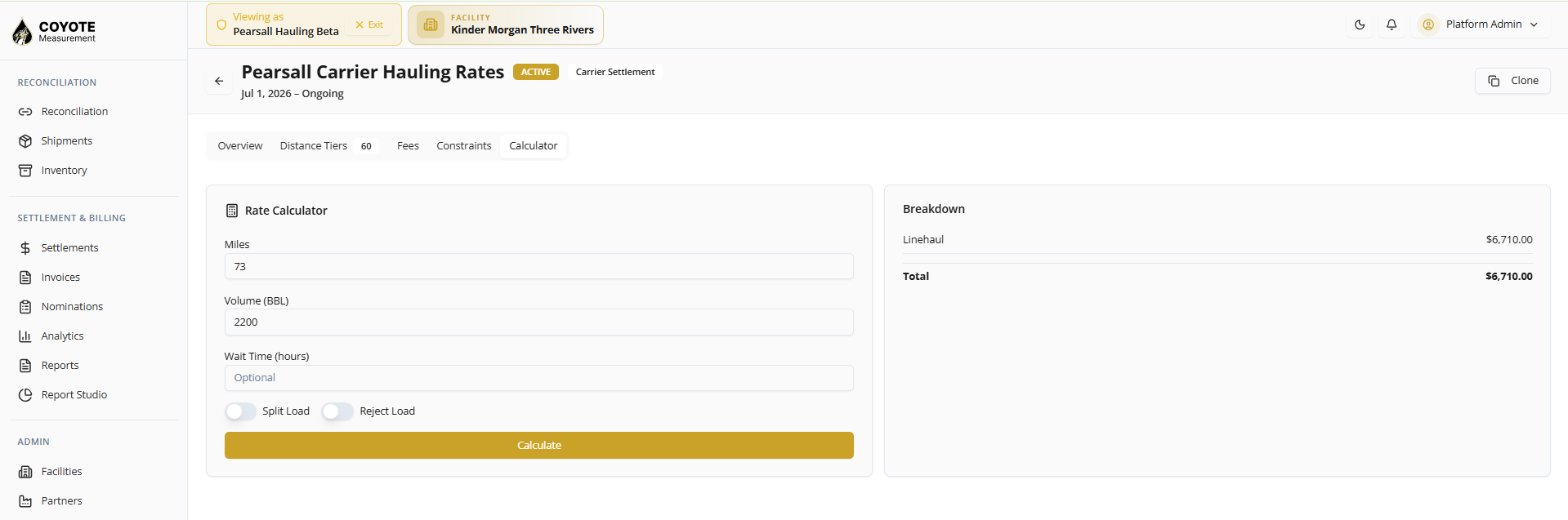
On the rate card version page, use Rate Calculator:
| Field | Test value |
|---|---|
| Miles | 73 |
| Volume (BBL) | 2200 |
Confirm the linehaul total matches expectations (example: $6,710 with standard test tiers).
Activate rate card
- Click Activate on the version page.
- Confirm the badge shows ACTIVE (not DRAFT).
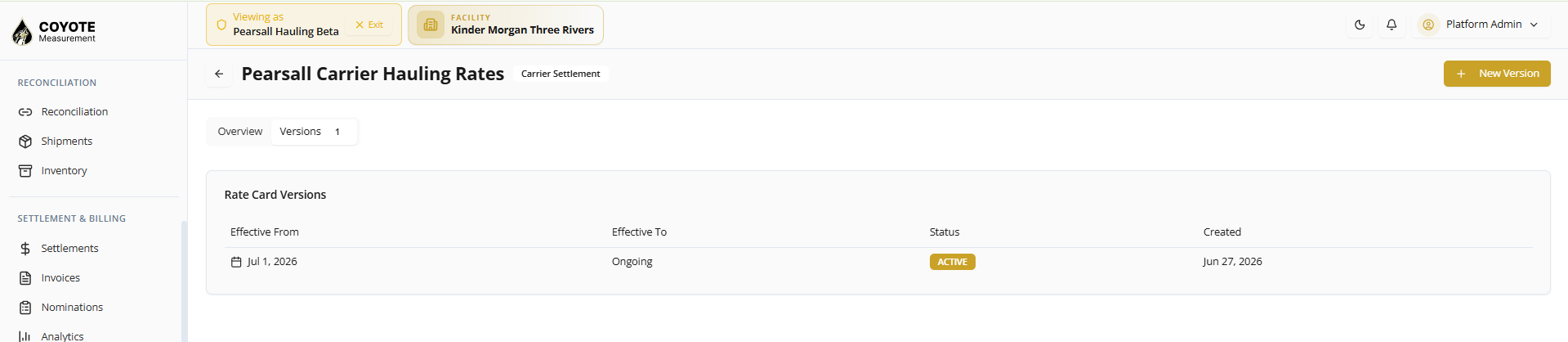
Draft rate cards are not used for charge generation.
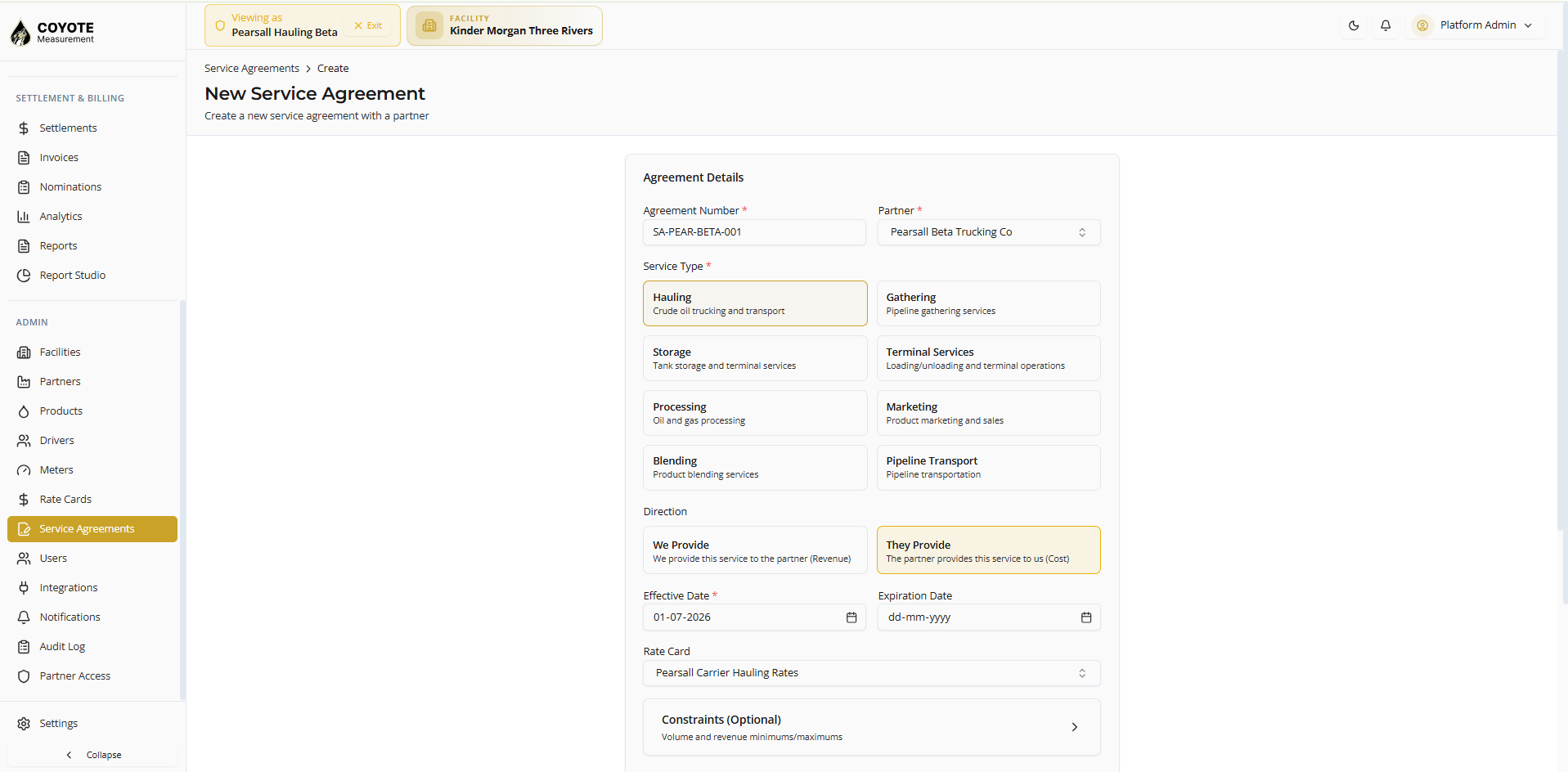
Step 6 — Service agreement
Admin → Service Agreements → New
- Enter agreement details and link the active rate card.
- Set Direction to They Provide (carrier provides hauling to you = cost/AP).
- Set Status to Active.
- Save the agreement.
| Field | Example |
|---|---|
| Agreement number | SA-PEAR-BETA-001 |
| Partner | Your carrier |
| Service type | Hauling |
| Direction | They Provide |
| Effective date | 2026-07-01 |
| Rate card | Pearsall Carrier Hauling Rates (active version) |
| Status | Active |
Notes (example): Beta hauling agreement for Pearsall leases to Kinder Morgan Three Rivers. Target ~11,000 BBL/day.
Agreements in Draft are not used for charge generation.
Step 7 — Hauling transactions
Daily Ops → Transactions → New
Create one transaction per lease (five tickets for a full daily test).
Before you start
| Check | Required value |
|---|---|
| Active facility | Kinder Morgan Three Rivers |
| Rate card | ACTIVE |
| Service agreement | Active, effective on or before ticket dates |
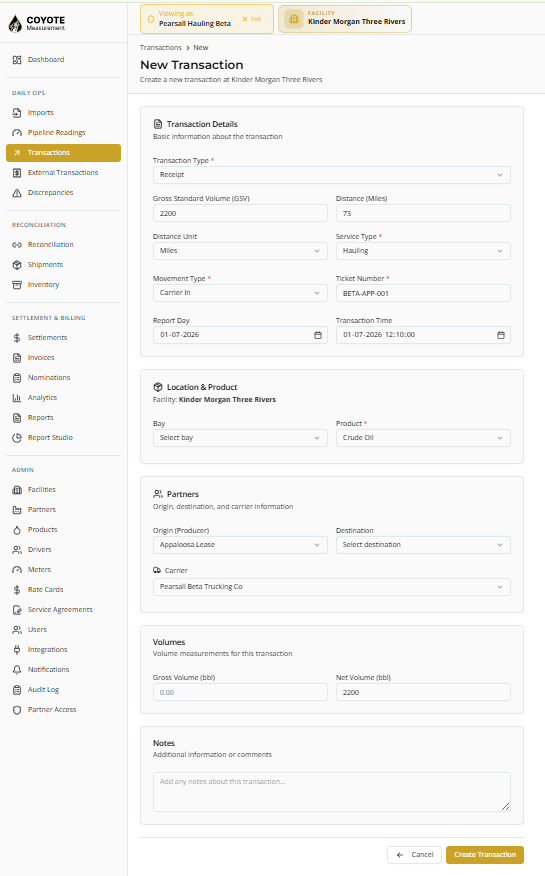
Enter each ticket
- Set Transaction type to Receipt.
- Set Service type to Hauling.
- Set Movement type to Carrier In.
- Enter ticket number (for example BETA-APP-001).
- Set Report day and Transaction time to the operational date (for example
2026-07-01). - Select Product, Origin (lease), and Carrier.
- Enter GSV and/or Net volume (for example 2200 BBL).
- Enter Distance (fixed miles for that lease) and Distance unit Miles.
- Save the transaction.
| Field | Value |
|---|---|
| Transaction type | Receipt |
| Service type | Hauling |
| Movement type | Carrier In |
| GSV / Net volume | 2200 BBL (example) |
| Distance | Fixed miles per lease (see table below) |
Volume split (example)
Client target ≈ 11,000 BBL/day across 5 leases → 2,200 BBL per ticket for testing.
Fixed miles per lease
| Origin (lease) | Miles | Example ticket |
|---|---|---|
| Appaloosa Lease | 73 | BETA-APP-001 |
| Darlene Hurrikain Lease | 69 | BETA-DH-001 |
| Hooey Sendero Lease | 67 | BETA-HS-001 |
| Mustang Lease | 69 | BETA-MUS-001 |
| Roper Lease | 76 | BETA-ROP-001 |
Report day vs transaction time
Settlement matches transactions to a calendar month using:
| Field set? | Used for settlement period |
|---|---|
| Transaction time | Yes — takes priority |
| Report day only | Used when transaction time is empty |
For July settlement, set both report day and transaction time to July 2026 (for example 2026-07-01).
The system bills the carrier for hauling when service type is Hauling and a carrier is set.
Step 8 — Generate and approve charges
Settlement & Billing → Settlements
Select the correct period
- Open Settlements.
- Use the month picker (top right) to match your transaction dates (for example July 2026 for tickets on
2026-07-01).
Generate charges
- Click Generate Charges.
- Expect a success message such as Generated 5 charge(s).
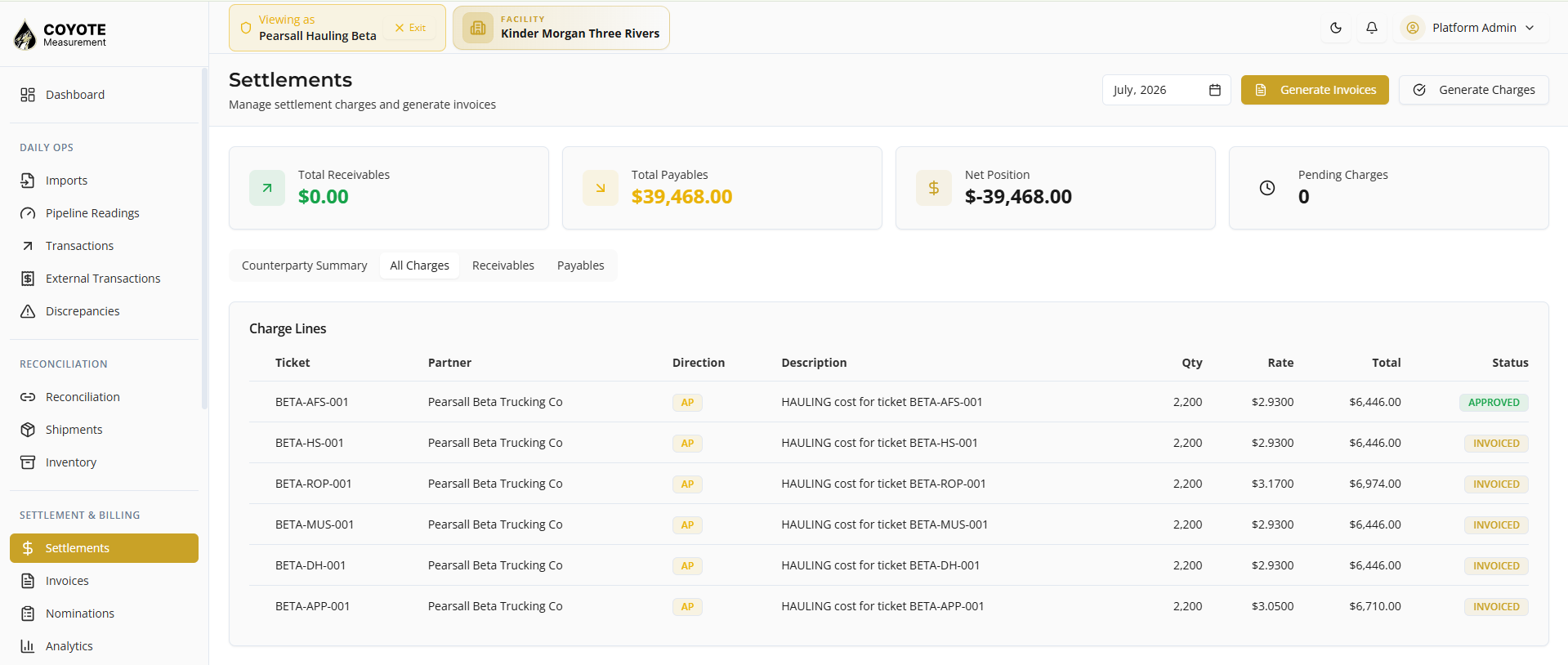
Example totals (test tiers, 2200 BBL each):
| Ticket | Miles | Charge (example) |
|---|---|---|
| BETA-APP-001 | 73 | $6,710 |
| BETA-DH-001 | 69 | $6,446 |
| BETA-HS-001 | 67 | $6,446 |
| BETA-MUS-001 | 69 | $6,446 |
| BETA-ROP-001 | 76 | $6,974 |
| Total | ~$33,022 |
If you see No new charges created, charges may already exist for the period — check Payables.
Approve charges
- Open Payables.
- Review hauling charges for the carrier.
- Approve charges per your process.
Daily operations (after setup)
| Task | Where |
|---|---|
| Enter tickets | Transactions — New Transaction |
| Import tickets from files | Managing Imports (when file-based intake is enabled) |
| Monthly billing | Settlements → Generate Charges |
| Pay carrier | Approve charges → vendor settlement |
Troubleshooting
| Symptom | What to check |
|---|---|
| No charges generated | Settlement month matches transaction time; rate card ACTIVE; service agreement Active; carrier is Vendor |
| Wrong party billed | For hauling, carrier should be billed — not the lease origin |
| No new charges created | Charges may already exist — review Payables |
| Rate mismatch | Ticket miles match a distance tier; volume and effective date are correct |
| Service agreement ignored | Status must be Active, not Draft |
| Movement type wrong | Use Carrier In, not Pipeline In |
Fixed miles quick reference
| Lease | Miles |
|---|---|
| Appaloosa | 73 |
| Darlene Hurrikain | 69 |
| Hooey Sendero | 67 |
| Mustang | 69 |
| Roper | 76 |
Related topics
- Facilities — destination terminal setup
- Partners — leases and carrier vendor
- Products — crude oil product catalog
- Drivers — optional driver records
- Transactions — hauling ticket entry
- Settlements — generate charges and vendor settlement